Valentine’s Day cards to color | free printable cards
Making a printable Valentine’s Day card to color is easy at Print With My Pic. You can make a card to color and send to friends or make a printable Valentine for the recipients to colour. Using the templates from Print With My Pic you can edit your pictures, add text to the cover and/or inside the card to print the perfect Valentine for kids or anyone. Here’s how:
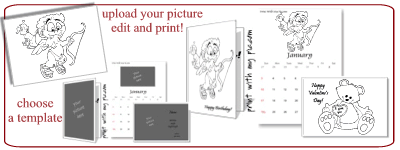
Finding a Valentine’s Day card that you like is challenging, but finding a Valentine’s Day coloring image that you like is quite easy. Take a look at all of these Valentine’s Day coloring images to choose from. Most of the “coloring pages” on the internet are just image files that you print full to page. So, we can use these same free Valentine’s Day coloring pages to load into the Valentine’s Day card templates at Print With My Pic.
Once you’ve found a free coloring image you like, right click on the image and save it to your computer. You can also right click and save the URL to the image. The makers allow you to add coloring pictures to the templates use the URL to an image you find online.
Step 1: Choose the template you’d like to use.
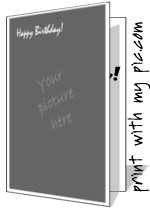
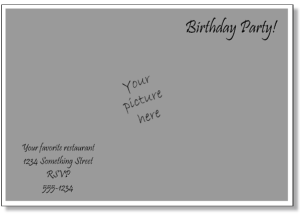
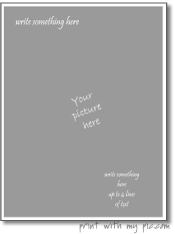
- quarter fold Valentine’s Day cards for kids
- flat Valentine’s Day cards to print (landscape)
- full page printable Valentine’s Day cards (portrait)
These full page templates are best for cards, invitations or a calendar to color, because they allow you to add the coloring picture full to the card, invite or calendar templates. However, you can also choose from Valentine’s specific templates as well if you want to have more of a festive tone or just add a little color to the card.

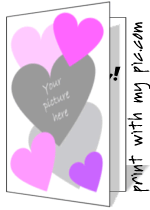
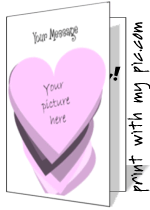
Step 2: edit your Valentine
Once you’ve chosen a template you like, you can load your picture. You can upload a picture right from your computer or use a picture from the Net. After the image is loaded into the template, you can move the image around, enlarge the picture for a close-up, and rotate the picture.
There are different text options with each template. You can delete all of the text and make blank Valentine’s Day card templates to print.
Step 3: Print a Valentine to color!
Once you are satisfied, hit the preview button. That will remove all of the guides and card menus. You can take one final look at the card and then hit print if you are ready.
That’s all there is to it. With these templates from Print With My Pic, it’s quick and easy to design your own Valentine’s Day cards and print. It will save you a lot of time in trying to find the card that’s just right. Making a Valentine to color and personalizing it for your friend, Mom, Dad, boyfriend, etc. is what makes a Valentine’s so special.
Happy Valentine’s Day!